No products in the cart.
UPS for CCTV Cameras: Keeping Home Security Running Through Outages
A camera that switches off the moment the power goes is not much of a security system. In many African cities, outages happen at night, which is exactly when you most want your cameras recording. A UPS for CCTV cameras keeps the recorder, cameras and router running through short cuts and gives you time to switch to a larger backup source during longer ones. This guide explains what to check so you buy the right size, not just the first box labelled “UPS”.
What buyers usually get wrong
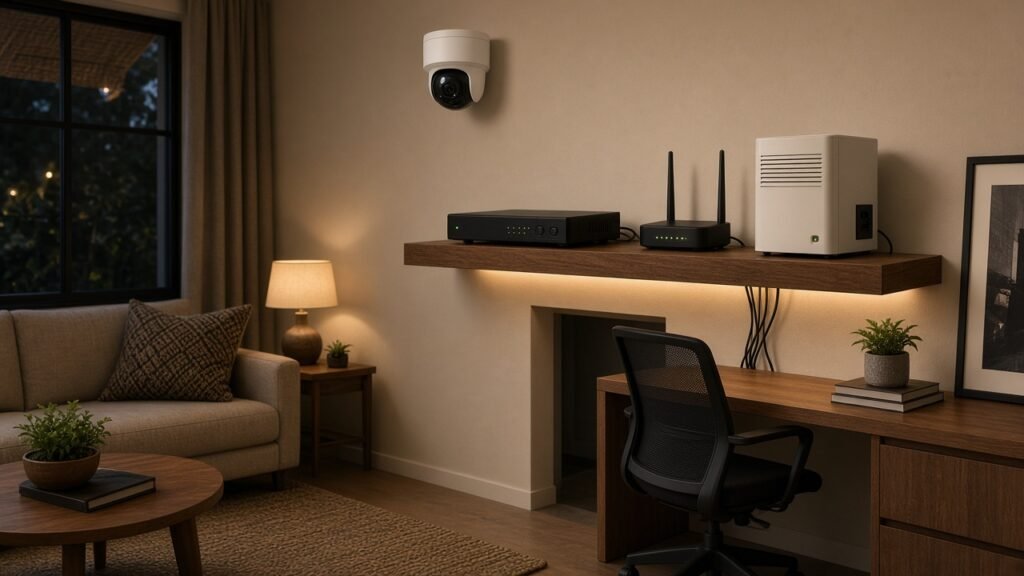
The most common mistake is backing up only the recorder. A DVR or NVR on battery power is useless if the cameras, the PoE switch or the camera power supply are still on mains-only sockets. Map every part of the chain first: cameras, their power supply or PoE switch, the recorder, and the router if you view footage on your phone.
The second mistake is choosing by VA rating alone. A large VA number does not tell you how long the system will run. Runtime depends on battery capacity and on how many watts your devices actually draw. A small load on a modest UPS can run far longer than a heavy load on a bigger one.
The third is ignoring how the system restarts. Some recorders need a clean restart after a hard shutdown, and footage around the cut can be lost. Keeping power steady avoids that problem entirely.
What specs matter most
- Output in watts, not only VA. Add up the wattage of your recorder, cameras or PoE switch, and router. Check the label on each power adapter or the product manual. Leave headroom rather than running the UPS near its limit.
- Battery capacity and runtime. Look for battery details (Ah and voltage, or Wh) in the specification table, and for runtime figures given at a stated load. Vague claims such as “long backup” are not enough to compare.
- Output type. For DC cameras, a mini UPS with 12V DC outputs can power cameras and a router directly. For a recorder and PoE switch on mains plugs, you need AC outlets. Check which your setup uses before you buy.
- Socket count and type. Make sure there are enough backed-up outlets for every device in the chain, in a plug type that suits your home or uses a safe, suitable adapter.
- Voltage regulation. Where mains voltage swings or surges are common, a UPS with automatic voltage regulation helps protect sensitive electronics.
- Battery replacement. UPS batteries wear over time. Check whether the battery is user-replaceable and what type it uses.
How to compare real value
Start with your own numbers. Write down the total watts your security setup draws and how long a typical outage lasts in your area. A short-cut problem of a few minutes is a different job from covering several hours overnight.
For short outages, a UPS sized to your load is often enough on its own. For long outages, the UPS works best as the bridge that prevents any interruption while an inverter, battery system or portable power station takes over. In that case you may not need a large UPS at all, just one that holds the system steady during the switch.
Compare listings on clear, stated specifications: continuous output, battery details, outlet type and count, and any runtime figures at a given load. A listing that hides these details makes like-for-like comparison impossible, so set it aside.
Recommended product paths on Afriyah
Begin in Power Backup for African Homes, where you can compare UPS units, inverters and portable power options side by side. If you are building a wider kit or looking for related accessories, browse all products in the shop. Before you pay, read the shipping and returns information for your destination.
FAQs buyers search before purchase
Can one UPS power both my cameras and my recorder?
Yes, if it has enough output and the right outlets for both. Add up their wattage, check that the total sits comfortably within the UPS rating, and make sure the outputs match how your cameras are powered (AC adapter, DC, or a PoE switch).
Should I put my router on the UPS too?
If you watch your cameras remotely or receive motion alerts on your phone, yes. Without the router, the system may keep recording locally but you will not see live footage or alerts during the outage. Your internet provider’s equipment beyond your home also needs power for remote viewing to work.
How do I estimate how long the UPS will last?
Use the runtime figures on the listing at the load closest to yours, if provided. Otherwise compare battery capacity in Wh with your total watts, and expect real runtime to be lower than that simple figure because of conversion losses. Battery age and temperature also reduce runtime.
Is a UPS enough for long night-time outages?
For long outages, pair the UPS with a larger backup source such as an inverter and battery system or a portable power station. The UPS keeps the recording uninterrupted while the bigger system carries the load.
Build your shortlist faster
List every device in your security chain with its wattage, note how long your usual outages last, and decide whether you need AC outlets, DC outputs or both. Then open Power Backup for African Homes and keep only listings with clear output, battery and outlet details. That short list will be much quicker to compare.